
"Lothere is definitely becoming the ancient capital of cute priests. They should have a pageant or something."
Ok, I know that this mod exists, so why can't I find it?

Submitted by PenelopetheFox on Sat, 10/18/2008 - 13:09.
Somewhere out there, there is a mod that gets rid of those red lines that pop up when the game is paused. I know it exists! I have seen that mod! I want it! I spent a couple hours yesterday searching for it to no avail.
I've been toying with the idea of taking screenshots with the Mac screenshot function and then resizing the photos in ImageShackle because I discovered that the screenshot function takes purdy pngs. Regardez:
http://i283.photobucket.com/albums/kk283/penelopethefox/Devi.png
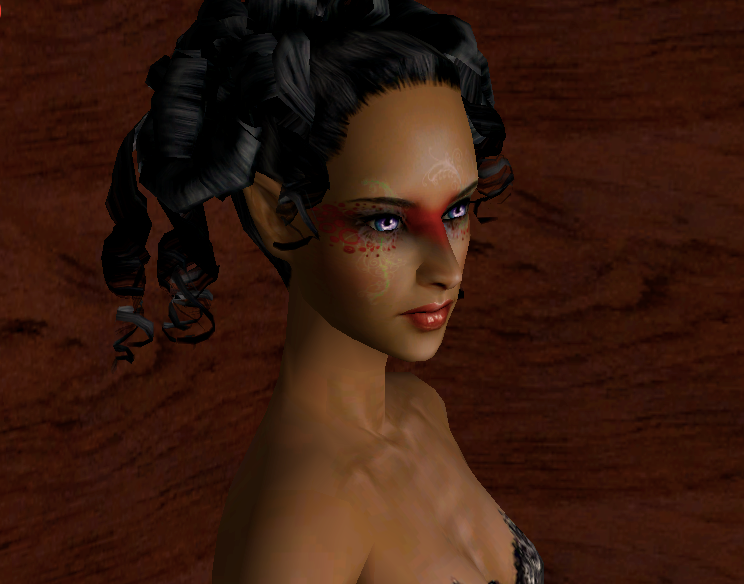
I cropped this one to get rid of the red lines but I have a horror of my images turning out to be different sizes from cropping. Help?
- Login to post comments

Who's online
There are currently 0 users and 6 guests online.
Recent comments
- Happy new year, Jenny! So
43 min 4 sec ago - Thank you, Chicklet, this
6 hours 48 min ago - I love that you're out there
4 years 38 weeks ago - If anyone is interessed, I
4 years 48 weeks ago - Tainted as it's been by the
5 years 51 weeks ago - So, so sorry to hear that.
5 years 51 weeks ago - To readers of this story I
6 years 1 week ago - It had something to do with
6 years 22 weeks ago - That sounds so fun,
6 years 22 weeks ago - Well, I did made the top
6 years 23 weeks ago
Who's new
- Stephanie
- Lady Dora
- Finn
RSS
Try this one from the InSim
Submitted by Lothere on Sun, 10/19/2008 - 08:09.Try this one from the InSim forums.
And please let me know whether it works, I have been thinking about installing that mod myself. I use the game screenshots for all my chapters but I am thinking about installing a screen capture program to take them instead, since I'm not happy about the high level of JPEG compression the game gives. However, if I did that I would certainly need to get rid of the red pause lines...
Also I could have some fun on my desktop with giant pictures of, Oh, I don't know, Angry Lar.
Yay!! Thanks, Lothere! I'm
Submitted by PenelopetheFox on Sun, 10/19/2008 - 08:16.Yay!! Thanks, Lothere! I'm on it! *runs away to start-up game*
Oh yeah, it
Submitted by PenelopetheFox on Sun, 10/19/2008 - 09:26.Oh yeah, it works!
http://i283.photobucket.com/albums/kk283/penelopethefox/YoungKvornanlarg...
But of course, before you hit TAB to go into camera mode, you have to select a character that isn't doing anything or else the little action box in the corner of the screen will appear in the photo.
Good to know! I am sure I
Submitted by Lothere on Sun, 10/19/2008 - 09:43.Good to know! I am sure I would forget the stupid action symbol a hundred times before I got into the habit of checking for it.
Do you really play at 800x600 resolution??
I believe so but I'm not
Submitted by PenelopetheFox on Sun, 10/19/2008 - 09:49.I believe so but I'm not sure.
I know that the larger possible resolution is seemingly too large for my screen so I haven't checked that setting in a long time.